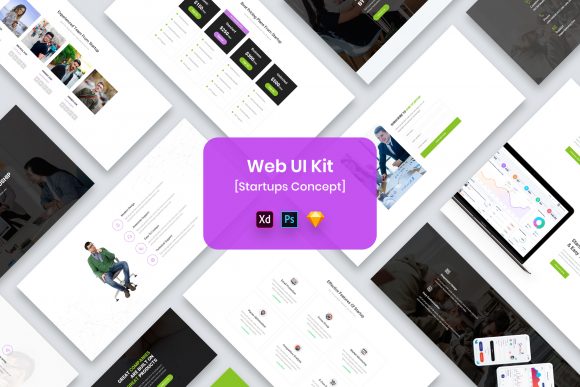
Web UI Kit Startups: A Modern Design Resource
Starting a digital project often feels like standing at the base of a mountain, looking up at a peak shrouded in clouds. Whether you are launching a new SaaS platform, redesigning a portfolio, or mocking up an idea for a client, the initial climb is usually the hardest part. This is where a resource like Web UI Kit Startups becomes more than just a collection of files; it acts as a foundational map. Designed with a modern and minimal aesthetic, this template set provides the structural integrity needed to build something great without getting bogged down in the minutiae of drawing every single button from scratch.
At its core, this kit is a comprehensive design system available in four major formats: PSD, Sketch, Figma, and Adobe XD. It is built for flexibility, ensuring that regardless of your preferred toolset, you have access to well-organized layers and purposeful elements. The design philosophy here is intentional minimalism. It strips away the unnecessary noise, allowing the content and functionality of your project to take center stage. For anyone involved in the digital space, understanding how to leverage such a toolkit can significantly alter the trajectory of a project's success.
Why Different Creators Care About Minimal Design
The value of a UI kit is not uniform; it shifts dramatically depending on who is holding the mouse. What looks like a time-saver to a seasoned agency might look like a learning opportunity to a student, or a cost-effective solution to a solo entrepreneur. The Web UI Kit Startups package addresses these varying needs by offering fully customizable files that are pixel-perfect and retina-ready.
For freelancers and small business owners, time is literally money. When a client demands a quick turnaround for a landing page or a dashboard prototype, starting from a blank canvas is rarely the most efficient strategy. These users prioritize speed and reliability. They need widgets and elements that work out of the box but can be tweaked to match a specific brand identity. With this kit, a freelancer can assemble a high-fidelity mockup in hours rather than days, focusing their energy on the unique selling points of the client's business rather than the padding of a contact form.
Conversely, educators and students approach these tools with a different lens. For them, the primary value lies in the organization and the "under the hood" structure. Because the files feature well-organized layers and creative, professional designs, they serve as excellent case studies. A design student can open the Figma or Sketch file to see how a professional handles spacing, typography hierarchy, and component grouping. It transforms the kit from a mere product into a textbook on modern interface standards.
Evaluating Flexibility and Format Compatibility
One of the most critical aspects of any digital asset is its compatibility with your existing workflow. The tech industry is fragmented, with teams often split between different software ecosystems. Some designers swear by the vector capabilities of Sketch, while others prefer the collaborative nature of Figma or the robustness of Adobe XD. By providing Web UI Kit Startups in all four formats, the creators acknowledge this reality.
If you are part of a larger marketing team or agency, you likely have a mandated stack. You cannot simply decide to switch tools because a template looks nice. The ability to download the native file format ensures that your layer structures remain intact, your symbols stay linked, and your team can collaborate without friction. This level of technical consideration is vital for professionals who need to hand off designs to developers. The clean organization of layers means that when a developer inspects the file, they aren't met with chaos; they see a logical flow that translates easily into code.
However, for the hobbyist or blogger who dabbles in design, the format might matter less than the ease of editing. These users often lack deep technical training in complex software. They need interfaces that are intuitive. The "easily editable" nature of these files means that changing a color scheme or swapping out a placeholder image doesn't require a tutorial video. It allows non-designers to achieve a professional look for their personal projects, bridging the gap between amateur enthusiasm and professional presentation.
The Importance of Purposeful Elements and Typography
Minimalism is often misunderstood as "empty," but in the context of Web UI Kit Startups, it is about purpose. Every widget and element included serves a specific function. There are no decorative flourishes that distract from usability. This is particularly important for entrepreneurs building MVPs (Minimum Viable Products). When testing a new idea, clarity is king. Users need to understand how to interact with the interface immediately. A cluttered design can obscure data and confuse potential customers, whereas a clean, minimal layout guides the eye naturally toward call-to-action buttons and key information.
Typography plays a massive role in this equation. The kit utilizes free fonts, which is a significant practical benefit. Licensing can be a legal minefield for businesses, especially startups operating on tight budgets. Knowing that the fonts used in the preview are free to use removes a layer of administrative headache. While the specific font names are located in the "Fonts Used" file within the download package, the assurance that they are accessible allows creators to focus on the visual impact rather than legal compliance. Note that while the preview images and mock-ups are stunning, they are for demonstration only; the real value lies in the editable vectors and text layers that you can manipulate.
Making the Right Choice for Your Project
Deciding whether this UI kit matches your goals comes down to an honest assessment of your project's requirements. If you are building a highly artistic, avant-garde website that relies on heavy illustration and custom 3D assets, a minimal startup kit might feel too restrictive. However, if your goal is to communicate information clearly, build trust through professional aesthetics, and launch quickly, this template is an ideal fit.
Consider the long-term usefulness of the asset. A publisher creating a series of landing pages for different campaigns can reuse the components across multiple projects. The modular nature of the widgets means you can mix and match sections to create unique layouts without reinventing the wheel each time. This scalability adds immense commercial value. Over the course of a year, the hours saved by not designing standard elements like navigation bars, footers, and pricing tables add up to significant productivity gains.
Ultimately, tools like Web UI Kit Startups are enablers. They do not replace creativity; they amplify it by removing the repetitive barriers to entry. Whether you are a seasoned pro looking to streamline your workflow, a student eager to learn industry standards, or a business owner trying to get a product to market, the utility of this kit lies in its adaptability. It respects your time, accommodates your preferred software, and provides a solid, pixel-perfect foundation upon which you can build your unique digital presence.
Before diving in, remember to check the documentation for font links and keep in mind that the beautiful mock-ups seen in previews are there to inspire, not to be used directly. The true potential lies in the editable files waiting for your input. By choosing a resource that balances professional quality with user-friendly customization, you set your project up for success from the very first click.